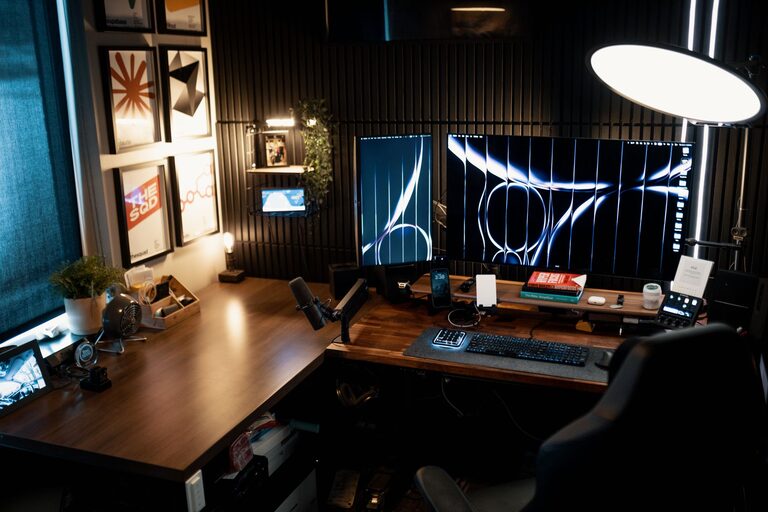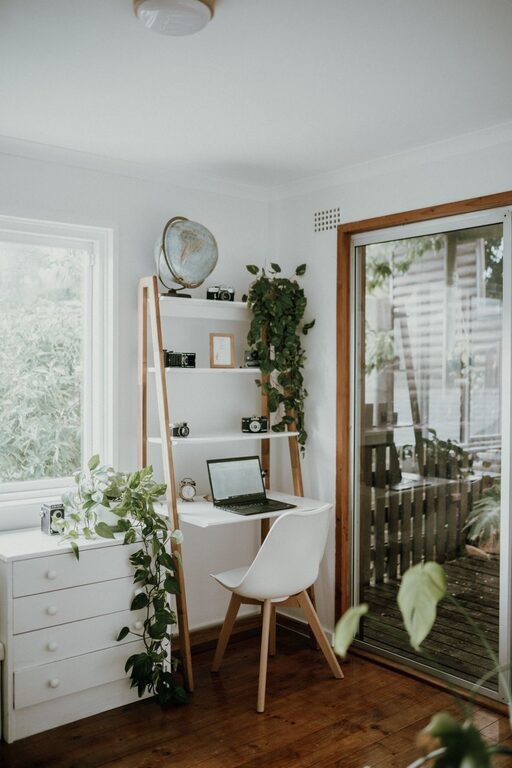
Creating a comfortable and productive home office space is essential for anyone working remotely or managing tasks from home. A well-designed workspace can improve focus, reduce stress, and help maintain a healthy work-life balance. Here are practical tips to help you set up an ideal home office, no matter the size of your space or the type of work you do.
1. Choose the Right Location
Selecting an appropriate spot for your home office is the first step. Ideally, pick a quiet area away from daily distractions and household traffic. If possible, use a separate room with a door to create a clear boundary between work and personal life.
Consider Natural Light
Position your desk near a window to benefit from natural daylight. Natural light helps reduce eye strain and boosts mood and energy. If a window is not an option, invest in quality lighting that mimics daylight and minimizes shadows.
Minimize Noise Distractions
If you can’t avoid noisy areas, use noise-cancelling headphones or add sound-absorbing materials like rugs, curtains, or wall panels to dampen ambient noise.
2. Invest in Ergonomic Furniture
Comfortable and supportive furniture is vital for long hours of work.
Desk and Chair
Choose a desk with enough surface area for your computer, peripherals, and workspace essentials. Height-adjustable desks are excellent for alternating between sitting and standing, promoting better posture.
Select a chair with adjustable height, lumbar support, and armrests. An ergonomic chair can help prevent back pain and improve comfort during long working hours.
Additional Accessories
Consider ergonomic accessories such as keyboard trays, monitor stands, and footrests to maintain a neutral body posture and reduce strain.
3. Optimize Your Workspace Layout
Organizing your workspace enhances productivity and helps maintain focus.
Declutter
Keep only the essentials on your desk to minimize distractions. Use cable organizers to manage cords and prevent a tangled mess.
Storage Solutions
Use shelves, drawers, and organizers to store documents, office supplies, and personal items neatly. This also frees up your desk surface for work tasks.
Personal Touches
Add a few personal items like plants, photos, or artwork to make the space welcoming without overcrowding it. Plants, especially, can improve air quality and create a calming atmosphere.
4. Ensure Good Technology Setup
A reliable technology setup is vital for smooth work processes.
Hardware
Invest in a good-quality computer, monitor, keyboard, and mouse. Dual monitors can increase productivity if your work requires handling multiple windows or applications simultaneously.
Internet Connection
Make sure your internet connection is fast and stable. Position your router optimally or use a wired connection if possible.
Accessories
Have the right accessories handy, such as printers, scanners, or external hard drives, based on your work needs.
5. Manage Lighting Effectively
Proper lighting reduces eye strain and keeps you alert.
General Lighting
Use soft overhead lighting that evenly illuminates the room. Avoid harsh fluorescent lights when possible.
Task Lighting
Add adjustable desk lamps to focus light directly on your work area. This helps reduce shadows and glare on your screen or documents.
6. Create a Routine and Boundaries
A well-set workspace supports, but does not replace, good habits.
Set Working Hours
Define clear work hours and stick to them. This helps maintain work-life balance and signals to others when you are busy.
Breaks and Movement
Schedule regular breaks to rest your eyes and stretch your body. Moving regularly can boost circulation and reduce fatigue.
Limit Distractions
Turn off non-work-related notifications during worktime and inform household members of your schedule to minimize interruptions.
7. Keep the Space Fresh and Inviting
Your workspace should feel pleasant and motivating.
Air Quality
Ensure good ventilation and clean air. Open windows when possible or use air purifiers.
Temperature Control
Maintain a comfortable temperature. Use fans, heaters, or air conditioning depending on your climate.
—
By thoughtfully designing your home office with these tips in mind, you can create a space that promotes comfort, focus, and productivity. A well-planned workspace is more than just a spot for your computer—it fosters a positive work environment that supports your daily tasks and overall well-being.