
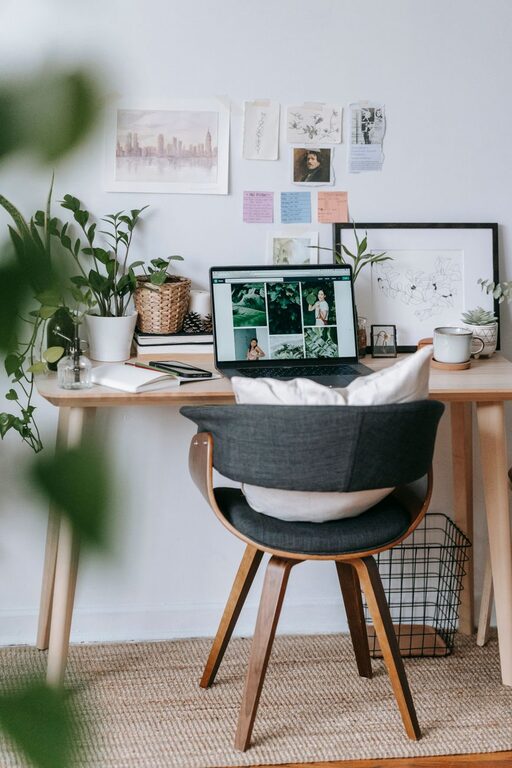
Creating a home office that feels both cozy and productive is essential for anyone working remotely or spending time on personal projects. Your workspace influences your focus, motivation, and overall well-being, so it’s worth taking the time to design an area that feels inviting and supports your daily tasks. Below are practical tips and ideas to help you transform any space into a comfortable and efficient home office.
Choose the Right Location
Prioritize Natural Light
Natural light boosts mood and energy, making it a valuable element for any workspace. Try to set up your desk near a window where sunlight can brighten your area. If natural light is limited, invest in quality daylight bulbs to mimic that effect.
Minimize Distractions
Select a quiet spot away from high-traffic areas or noisy appliances. This will help you stay focused and reduce interruptions during work hours.
Invest in Comfortable and Functional Furniture
Ergonomic Chair and Desk
A supportive chair and the right desk height prevent discomfort during long working hours. Look for chairs with adjustable height, lumbar support, and cushioning. Desks should accommodate your computer, paperwork, and other essentials without clutter.
Multi-Functional Furniture
Consider desks with built-in shelves or drawers to keep your tools within reach and maintain a clean surface.
Organize Your Space for Efficiency
Declutter Regularly
A tidy workspace clears your mind. Use storage boxes, file organizers, and cable management solutions to keep everything in order.
Use Vertical Storage
Shelves and wall-mounted organizers save desk space and display items you need frequently.
Personalize Smartly
Add a few personal touches like photos or plants, but don’t overcrowd your desk. Personalization creates a welcoming environment without distracting.
Optimize Lighting and Ambiance
Layer Your Lighting
Combine overhead lights with task lamps to reduce eye strain. Adjustable lamps help you focus light exactly where you need it.
Control the Temperature
Make sure your workspace is neither too hot nor too cold. A comfortable room temperature supports concentration and comfort.
Choose Calm Colors
Soft hues like greens, blues, or neutrals promote relaxation and focus, whereas very bright colors can become distracting.
Incorporate Technology Wisely
Reliable Internet and Equipment
Ensure your internet connection and devices are reliable to avoid interruptions. Keep chargers and accessories organized and accessible.
Noise-Canceling Headphones
If you can’t avoid some background noise, headphones can help you concentrate and improve audio quality during virtual meetings.
Foster Healthy Work Habits
Take Regular Breaks
Step away from your desk every hour to stretch, relax your eyes, and refresh your mind.
Maintain Good Posture
Adjust your chair and screen height so your back stays straight, and your neck is in a neutral position.
Add Greenery for a Natural Touch
Plants don’t just improve air quality; they add a sense of calm and vitality to your workspace. Opt for low-maintenance varieties like succulents or snake plants that thrive indoors.
Set Boundaries and Define Your Space
Clearly Mark Your Workspace
Use rugs or room dividers to delineate your office area, especially if it’s part of a larger room.
Communicate Work Hours
If you share your space with others, set clear expectations about when you are working to minimize disruptions.
—
Creating a cozy and productive home office takes attention to both functionality and comfort. By carefully selecting your location, furniture, lighting, and organization methods, you can craft a comfortable environment that supports your best work every day. Start with small changes and adjust based on your needs until your space truly feels like your own productive haven.